One key. One app.
No cycling.
Manico replaces Cmd+Tab with instant keyboard shortcuts. Assign a key to any app and jump to it in milliseconds.
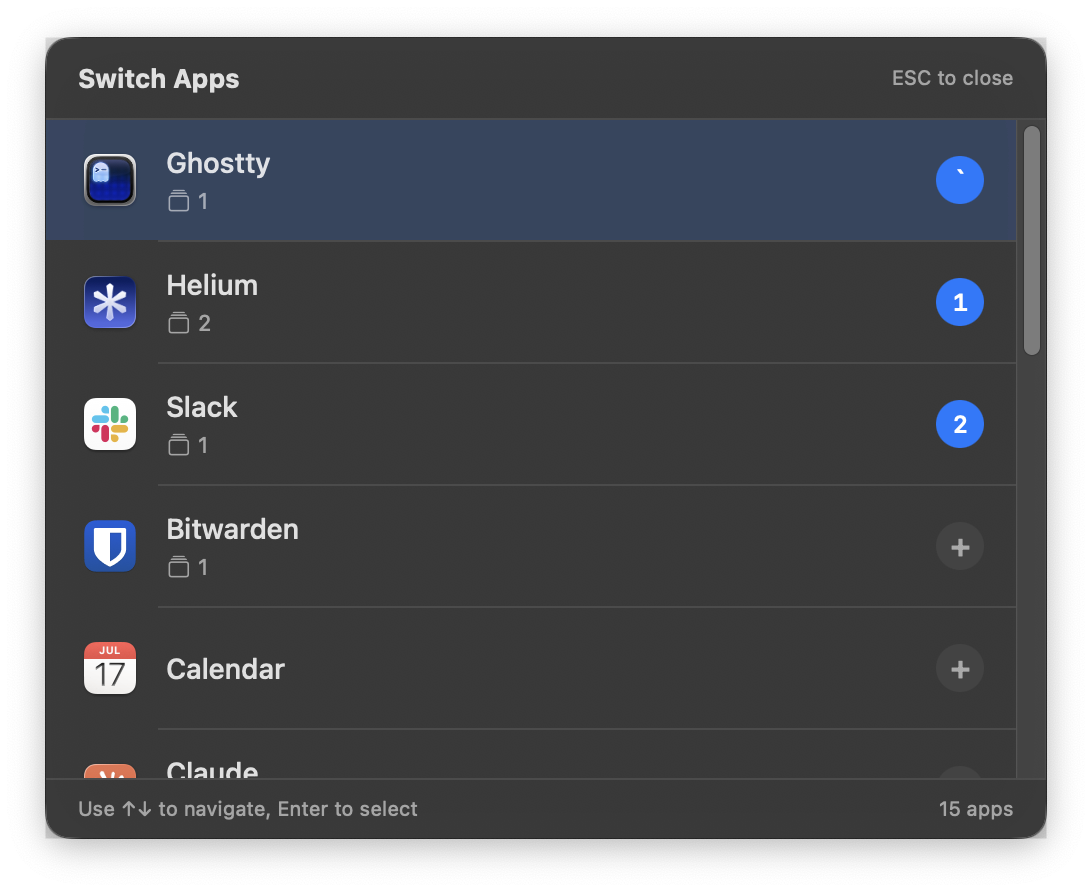
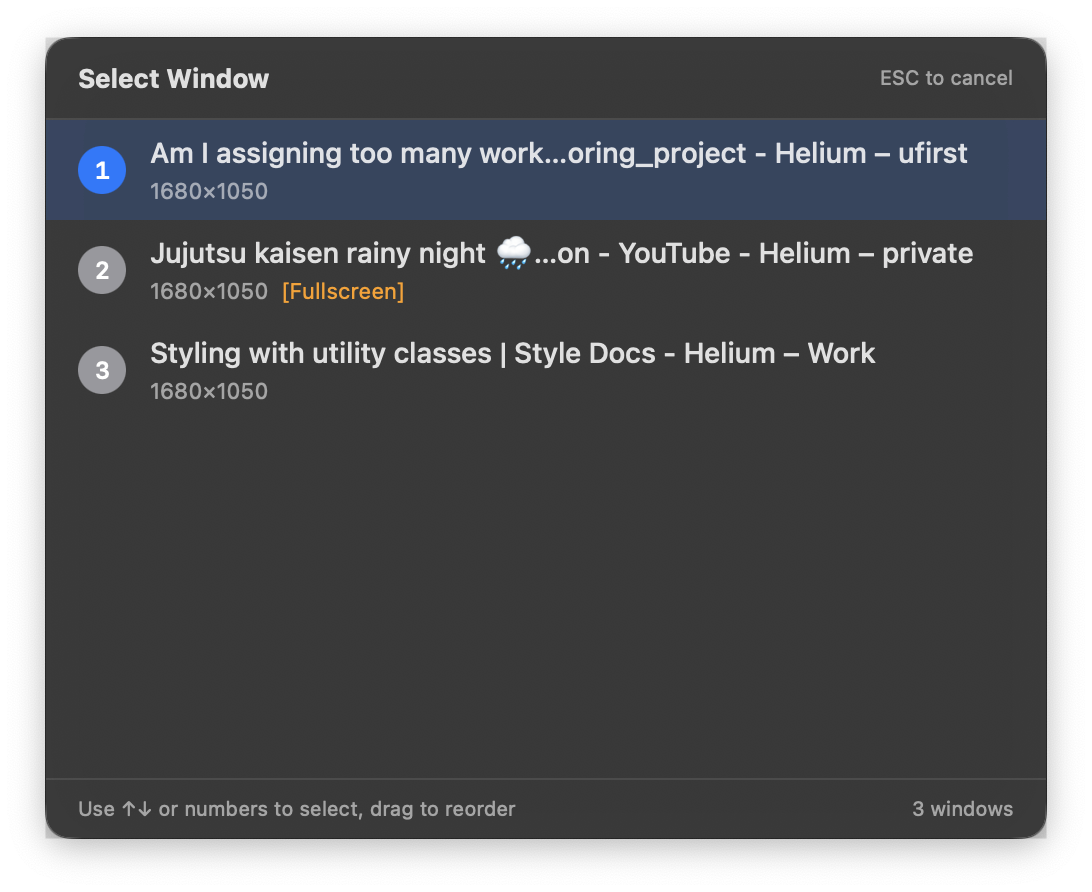
Hold, cycle, cycle, cycle, release... hope you didn't overshoot.
Ctrl+Tab, press 2. Done.
Why Manico?
Built for developers and power users who live on the keyboard.
Lightning Fast
Switch apps in milliseconds with simple keyboard shortcuts. No animation delays, no fumbling with mouse.
Custom Shortcuts
Assign your own keyboard shortcut to each app. ` for your editor, 1 for the browser — jump directly.
Multi-Window Support
Easily switch between different windows of the same app. Perfect when juggling multiple projects.
Stays Out of Your Way
Runs quietly in the menu bar. No dock icon, no distractions. Always ready when you need it.
How it works
Three steps to never use Cmd+Tab again.
Assign shortcuts
Give each app a key that makes sense to you. Your editor is `, browser is 1, terminal is 2.
Trigger & press
Hit your hotkey (Ctrl+Tab by default, customizable), then press the assigned shortcut. The app activates instantly.
Stay in flow
No more cycling through apps. Jump directly to what you need without breaking focus.
Frequently asked questions
Is there a free trial?
Not yet — but every purchase includes a 14-day money-back guarantee. If Manico doesn't click for you, email support@mariuti.com within 14 days for a full refund.
Which macOS versions are supported?
macOS 13 Ventura or newer. Apple Silicon and Intel Macs are both supported.
Does Manico need Accessibility permission?
Yes. Manico uses the Accessibility API to switch between apps and windows. You'll be prompted on first launch; Manico never reads keystrokes or screen contents.
Do I get future updates?
Yes. All future updates are included in the one-time $15 purchase. No subscription, ever.
Will this interfere with Cmd+Tab?
Only if you choose to. Manico can optionally replace the native Cmd+Tab — if you disable that setting, Manico runs alongside the system switcher.
How do I get my download link again?
Visit /redownload and enter the email you purchased with. We'll send a fresh link.
Ready to switch faster?
One-time purchase. No subscription. All future updates included.